



How To Easily Find Your Google My Business Listing Insights / Analytics

How To Easily Find Your Google My Business Listing Insights / Analytics

Reading Time: < 1 minute

It’s important to know how many people are seeing your Google My Business listing and interacting with it. There are two different ways that you can check this information.

Use the Google Maps App on your iPhone or Android OR Log into business.google.com and click on insights.

Method 1: How to Check GMB Insights using the Google Maps App on iPhone


  1. Open the Google Maps App on your Phone.
  2. Click on your picture on the right hand of the search bar & then click on “Your Business Profiles” and select the business you want to manage.
  3. Alternatively, In the search bar, type in your business name and press it once it auto-populates.
  4.  Now you are on your business listing, scroll down, and just below the word “Overview”, you’ll see “Your Business on Google – ### Views this month” Press on that.
  5. Here you will be able to see how many people have viewed and interacted with your Google business listing.
  6. You can also see how people found you (ex. Via search, directions, website, etc.) as well as what actions they took once they found you (ex. Called, visited the website, etc.)

This information is valuable because it helps you understand how effective your GMB listing is in reaching new potential customers.
It also helps you understand which marketing efforts are resulting in customers finding your GMB listing.


Method 2: How to Check GMB Insights by logging into business.google.com


  1. Go to business.google.com and log into the account that you use to manage your GMB listing
  2. IF you manage multiple listings click on “Business Profile Manager” in the top left and choose your business, if you only have one listing you should be able to skip this step.
  3. Click on “Insights” in the menu on the left side of the screen
  4. Here you will be able to see how many people have viewed and interacted with your listing
  5. You can also see how people found you (ex. Via search, directions, website, etc.) as well as what actions they took once they found you (ex.. Called, visited the website, etc.)

Checking your GMB insights regularly helps you understand how effective your GMB listing is in reaching new potential customers 6 It also helps you understand which marketing efforts are resulting in customers finding and interacting with your GMB listing.


Looking at your Google My Business insights/analytics is a quick and easy way to track how many people searching for your services and products are seeing and interacting with your listing. This information is wildly valuable because it helps you understand which marketing efforts are resulting in customers finding your business listing so that you can adjust your marketing strategy accordingly!

The number & quality of your Google Reviews makes a major difference in how much NEW BUSINESS you will receive from people who find you online and call your establishment to hire you.

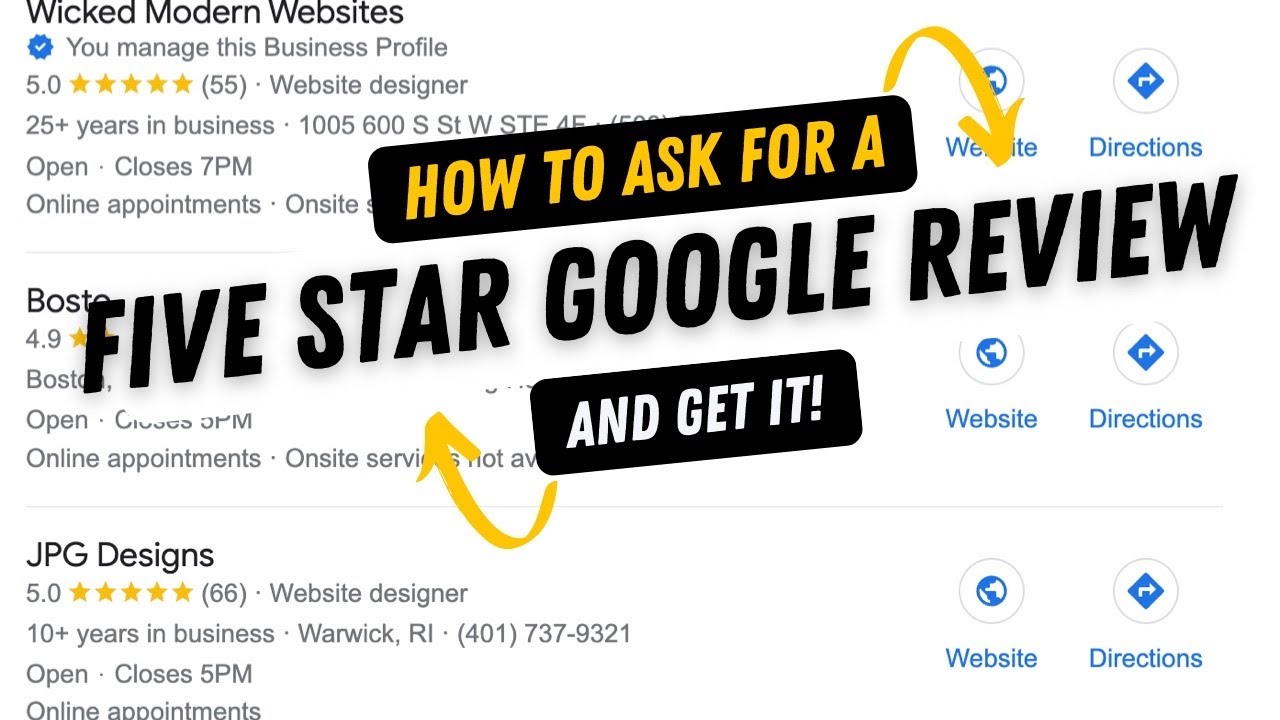
When you know how to ask for a 5 Star Google Review, you’ve got a majorly important skill you need to grow your business.

How to ask for a 5 star google review


6 Steps to Structure your ask for a 5-star Google review aka my “secret script.”

Studies show that people are dramatically more likely to complete your request if you do these things.


  1. Use their name – Start with “Hello James” or “Good afternoon Jane”. Leading off with someone’s name reminds them of how familiar and close you are.
  2. Make the ask – “Would you please give me a 5-star Google review?”
  3. Give them a reason“Because I’m trying to get ahead of my local competition” It doesn’t have to be crazy, studies show that even if the reason doesn’t seem that important the person will be much more likely to make give you the review if you give them a reason.
  4. Include a number if you can “I’m trying to get to 10 (or 25) five-star google reviews to get ahead of my local competition” is even better.
  5. Tell them it won’t take much time so they do it right away. “it will only take 2-3 minutes of your time and it will help me a LOT!”
  6. Provide them with the link – Hit them with the link right away! You’ve set them up and they’re ready to give you a five-star Google Review, make sure you make it easy for them and hit them with the review link right now!

Example Script You can Copy, Adjust & Use to get 5 Star Google Reviews

 “Hello *Their Name*, would you be willing to give me a quick 5 star Google review? I’m trying to get to 25 five-star reviews today, so I can get ahead of my local competition. It will only take 2-3 minutes of your time. Here’s the link. “

We have found this is extremely effective, ask in person first (if possible) send a message via text or email, include their name, give them a reason you are asking (use my reason or create your own,) include a number & tell them it won’t take up much of their time and give them the link so they can actually do it.

If you follow this technique on How to ask for a 5 Star Google Review, I guarantee you will have a greater than 90% success rate when you ask your clients & friends for a five star google review.

Do you need help getting listed on Google? If you don’t have your Google Business Profile (formerly Google My Business) set up & optimized it’s like you’re not even listed on the phone book.

Contact us right away and start getting the new business you deserve.
Need Help Getting Your Google Business Listing Found By Customers?

Complete Guide to Getting 5-Star Google Reviews

Complete Guide to Getting 5-Star Google Reviews

Reading Time: 4 minutes

How To Ask For A 5-Star Google Review

If you know how to effectively ask for a 5 star Google review you’ll be able to rank your Google Business Profile above those of your competitors. This is absolutely huge in generating new business from clients and customers who need your services.

About the Ask

Like any time we ask anyone for anything an in-person is always most effective. However, ultimately you’ll need to forward them the review link so they can actually submit the review. Thus it will be essential to send via e-mail or text to get them to actually submit the review.

Make it Easy For Them To Give You A Review with the Google Maps App

The best way to conveniently do this is to have the Google Maps app on your phone (available for Apple iPhone & Android Phones) so you can easily click the “Get More Reviews” button (seen below) and fire off the request to anyone you have in your phone contact list via text or email.

!IMPORTANT! – You need this “Share Profile” button at your fingertips. It is absolutely essential. Get the Google maps app right this moment!

google business profile google my business

A 5-star Google review can be like a goldmine for businesses. They are the most coveted type of review because they not only help to improve your ranking on Google, but they also have a huge psychological impact on potential customers.

Studies have shown that people are much more likely to trust a business with 5-star reviews and that they are also willing to pay more for products and services from 5-star businesses.

In other words, 5-star reviews can help to drive highly targeted traffic to your business, and they can also significantly increase your bottom line. So if you’re looking to give your business a boost, make sure to encourage your satisfied customers to leave 5-star reviews on your Google Business Profile.

The number & quality of your Google Reviews makes a major difference in how much NEW BUSINESS you will receive from people who find you online and call your establishment to hire you. 

When you know how to ask for a 5 Star Google Review, you’ve got a majorly important skill you need to grow your business.

How to ask for a 5 star google review


6 Steps to Structure your ask for a 5-star Google review aka my “secret script.”

Studies show that people are dramatically more likely to complete your request if you do these things.


  1. Use their name – Start with “Hello James” or “Good afternoon Jane”. Leading off with someone’s name reminds them of how familiar and close you are.
  2. Make the ask – “Would you please give me a 5-star Google review?”
  3. Give them a reason“Because I’m trying to get ahead of my local competition” It doesn’t have to be crazy, studies show that even if the reason doesn’t seem that important the person will be much more likely to make give you the review if you give them a reason.
  4. Include a number if you can “I’m trying to get to 10 (or 25) five-star google reviews to get ahead of my local competition” is even better.
  5. Tell them it won’t take much time so they do it right away. “it will only take 2-3 minutes of your time and it will help me a LOT!”
  6. Provide them with the link – Hit them with the link right away! You’ve set them up and they’re ready to give you a five-star Google Review, make sure you make it easy for them and hit them with the review link right now!

Example Script You can Copy, Adjust & Use to get 5 Star Google Reviews

 “Hello *Their Name*, would you be willing to give me a quick 5 star Google review? I’m trying to get to 25 five-star reviews today, so I can get ahead of my local competition. It will only take 2-3 minutes of your time. Here’s the link. “

We have found this is extremely effective, ask in person first (if possible) send a message via text or email, include their name, give them a reason you are asking (use my reason or create your own,) include a number & tell them it won’t take up much of their time and give them the link so they can actually do it.

If you follow this technique on How to ask for a 5 Star Google Review, I guarantee you will have a greater than 90% success rate when you ask your clients & friends for a five star google review.

Do you need help getting listed on Google? If you don’t have your Google Business Profile (formerly Google My Business) set up & optimized it’s like you’re not even listed on the phone book.

Contact us right away and start getting the new business you deserve.

Need Help Getting Your Google Business Listing Found By Customers?

Top 3 Reasons Why you Need a Google My Business Listing

Top 3 Reasons Why you Need a Google My Business Listing

Reading Time: 2 minutes

Top 3 Reasons Why you need a Google My Business Listing

1. Your Google My Business Profile is the phone book of today!

Your Google My Business profile is the most important factor in how your business ranks in local search. When someone types in a related query to what your business does, your company needs to be one of the top results if you want them to contact you. In order to ensure that this happens, it is important to have a well-optimized Google My Business profile.

There are three main things that you need to do in order to have a great Google My Business profile: Claim your listing, complete your profile, and get reviews.


2. You need to be a big fish in your own little pond before you can be a great white shark in the big blue ocean.

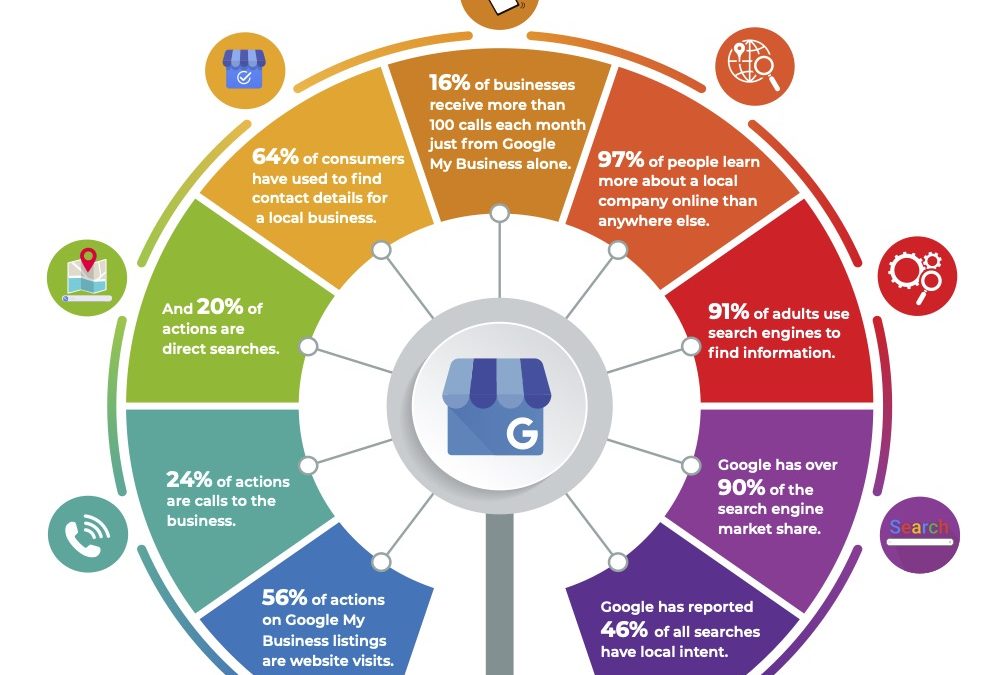
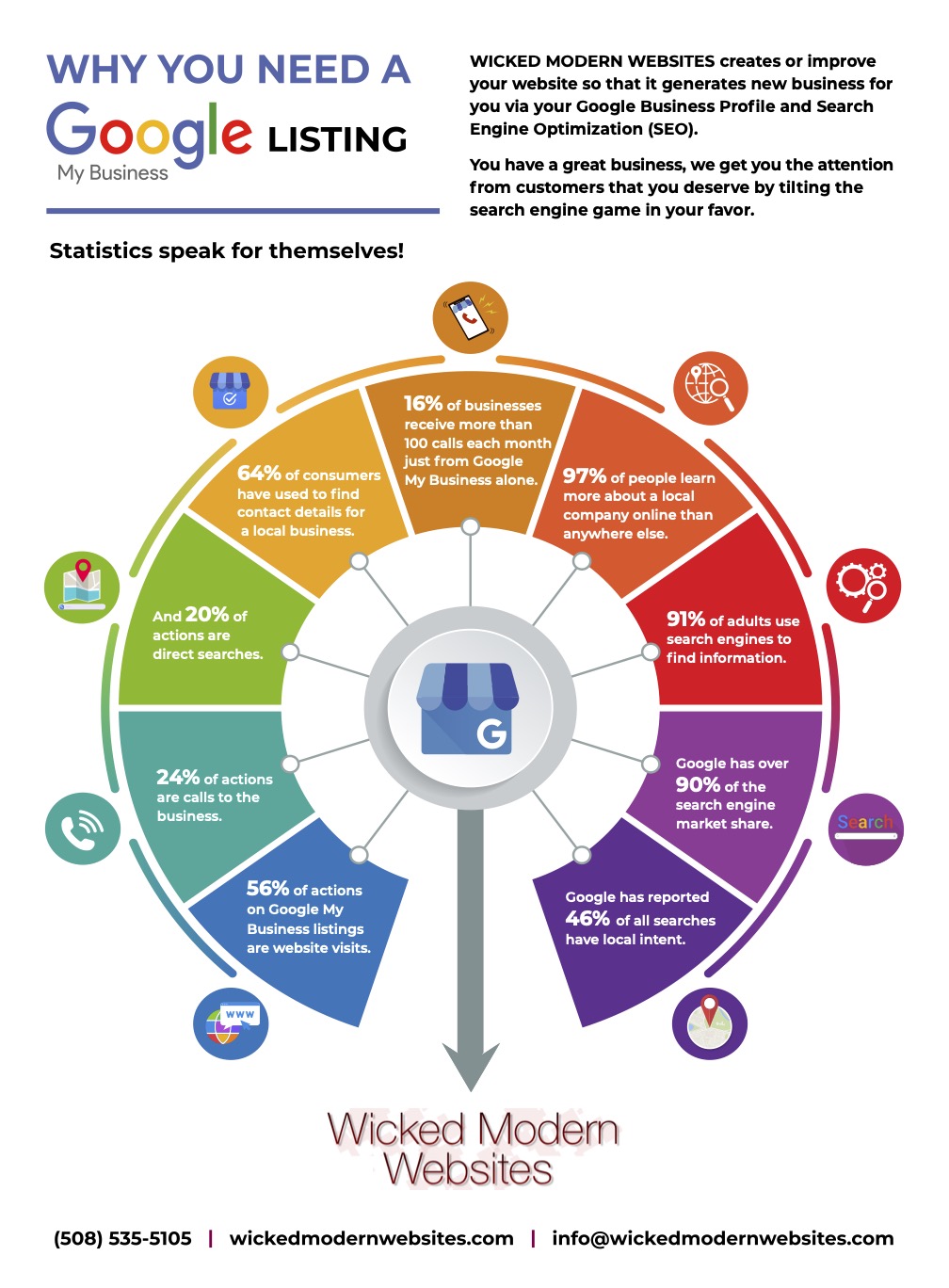
In order for your business to grow, you need to dominate your local market. If you are not ranking at the top of local search results, then you are losing out on potential customers. 91% of adults use search engines to find information, so if your business isn’t at the top, you’re missing out on a lot of potential leads.

In order to rank higher in local search results, it is important to have a well-optimized Google My Business profile. This includes completing your profile and getting reviews from happy customers. Make sure that you list all of your relevant business information, including hours, address, and products and services offered.

3. The BEST ROI: 24% of actions are calls to the business.

One of the main goals of any small business should be to get more customers through their door. In order to do this, it is important to focus on online marketing tactics that generate leads. One such tactic is local SEO services.

Local SEO services refers to the process of optimizing a business’ website and online presence so that they rank higher in local search results. When done correctly, this can result in a significant increase in leads and sales for a business. One study found that businesses that rank in the top 3 spots for their related keywords receive 24% of all actions taken by searchers.

 Here are a partial list of some of the items our team handles on a weekly basis for each account to increase its exposure to highly targeted searching customers.

  • Weekly creation of new posts
  • Regular uploading of new images
  • Monthly responding to your reviews.
  • Addition of new business services & categories as needed
  • Approval of Google’s requested changes
    And much more…


Are Website Builders Like Wix & Squarespace Worth It?

Are Website Builders Like Wix & Squarespace Worth It?

Reading Time: 2 minutes

Are website builders worth it?

You might be surprised to hear that I say no.

In my experience, website builders like Wix, Squarespace and Weebly are simply not worth the time or money. While they may be easy to use, they produce subpar websites that look amateurish and lack the features and customizability of a truly professional website.

Website builders have a lot of disadvantages that most people don’t realize until they’ve already built their website. For starters, you’re limited to the templates and features that the website builder offers.

This means that your website will look and feel like every other website built with that same platform. If you want to stand out, you’re going to have a hard time.

Secondly, website builders are not built for SEO. Sure, you can add some keywords and descriptions but you’re still going to be at a disadvantage compared to a website that was custom-built with SEO in mind.

Lastly, and this is the most important point, website builders are not flexible. Once you’ve built your website on one of these platforms, you’re pretty much stuck with it. If you want to make any major changes, you’re going to need to start from scratch – which defeats the purpose of using a website builder in the first place.

All in all, we don’t recommend using a website builder. If you want a truly unique and flexible website, it’s worth it to invest in a custom-built site.

Everyone business has different needs so each project is unique. The initial consultation will define which deliverables are most important to your success.
Complete Guide to Working With A Web Designer

Complete Guide to Working With A Web Designer

Reading Time: 2 minutes

How To Work With a Web Designer

What they will probably ask from you, even if they don’t you should forward this stuff to them!

So you’re ready to start your website development project (with me or any other website designer). Congratulations! You’re ahead of the game, you’ve dodged the trap of those mass produced website builders which steal your content and give you the worst possible outcome for your business, bravo!

You’re probably asking yourself a list of questions: How much does it cost to hire a web designer? How do I hire someone to design my website? What do I need to know before hiring a web designer? Who should I hire to build my website? How much does creating a website cost? Is it worth building your own website?

Here is a list of things that your website designer will ask you for. Even if you haven’t had a consultation with us yet or if you’re working with another website developer here’s a list of things that any good web designer is going to ask you for.

If they don’t it’s a huge red flag that they are either cutting corners or don’t know what they are doing and you should seek advice from an experienced website designer before it is too late!

Here’s what I, your website designer, am asking for from you the client:

  • Your Logo (PDF, EPS or high res JPEG if possible)
  • Hosting Login (hosting account and/or Cpanel login)**
  • Current Website Login 
  • Analytics Access (we make decisions based on data, hopefully your old website developer has been collecting it for you!)
  • Images or any new pictures you’d like to use for the new site
  • Brand style guide, colors or any special graphics being used
Getting Started with a website developer

You might not have all or any of these things but don’t worry, we make it easy for you. If you don’t it’s no problem but providing your website designer with as much info as you possibly can make things smoother and result in the best possible outcome.

How to get started with a website developer

Getting Started with a Website Developer – How to collaborate: (send me your content & Images)

We will create a shared Google Drive folder and invite you to it so that you can place your images, text, videos and ideas for your website there. 

Your Web Design Team Will Also Accept Your Content Via. 

  • E-Mail
  • Text Message
  • DropBox
  • Any other sharing platform of your choosing

Understand the website development process

THE DESIGN PROCESS
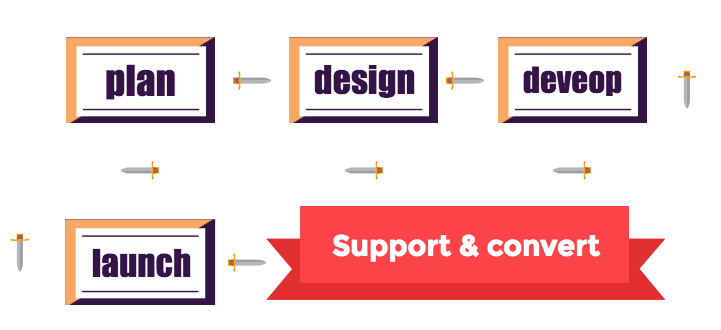
Designing a website, no matter how big or small, is an extensive process that can be overwhelming. I’ve outlined my process into 3 steps:

Check back here soon for more info on understanding the website development process.

Getting Started with a website developer

Ready to refresh your website?

Learn more about our web design services.